⇧⌘3Full screen
⇧⌘4Area
⇧⌘5Window
⇧⌘6Scrolling
Four shortcuts, no searching
Full screen, area, window and scrolling capture on familiar keys. In area mode Space switches to window, Shift keeps a square and Esc cancels.
 Kadr for macOS
One shortcut gives you an area, a window, the whole screen or an entire scrolling page - straight to the clipboard and a folder. Add an arrow, a box and a number, and it's ready to send.
macOS 14 or later · Apple Silicon and Intel · no account, no cloud
Features
Kadr only does screenshots, and it does them properly. Take them with one hand and paste them at the right size.
Full screen, area, window and scrolling capture on familiar keys. In area mode Space switches to window, Shift keeps a square and Esc cancels.
A live magnifier and dimensions. The screen is frozen before you select, so you capture exactly what was there - menus and tooltips included.
The PNG goes to the clipboard and the folder at the same time. An optional preview keeps your last 5 captures: copy, edit, or drag out as a file.
A window capture is just the window, without the shadow, even when something sits on top of it. Retina images paste at the size you see on screen.
Scrolling capture
Select an area, scroll down and click Done. Or switch on Auto and let Kadr scroll for you.
Annotation editor
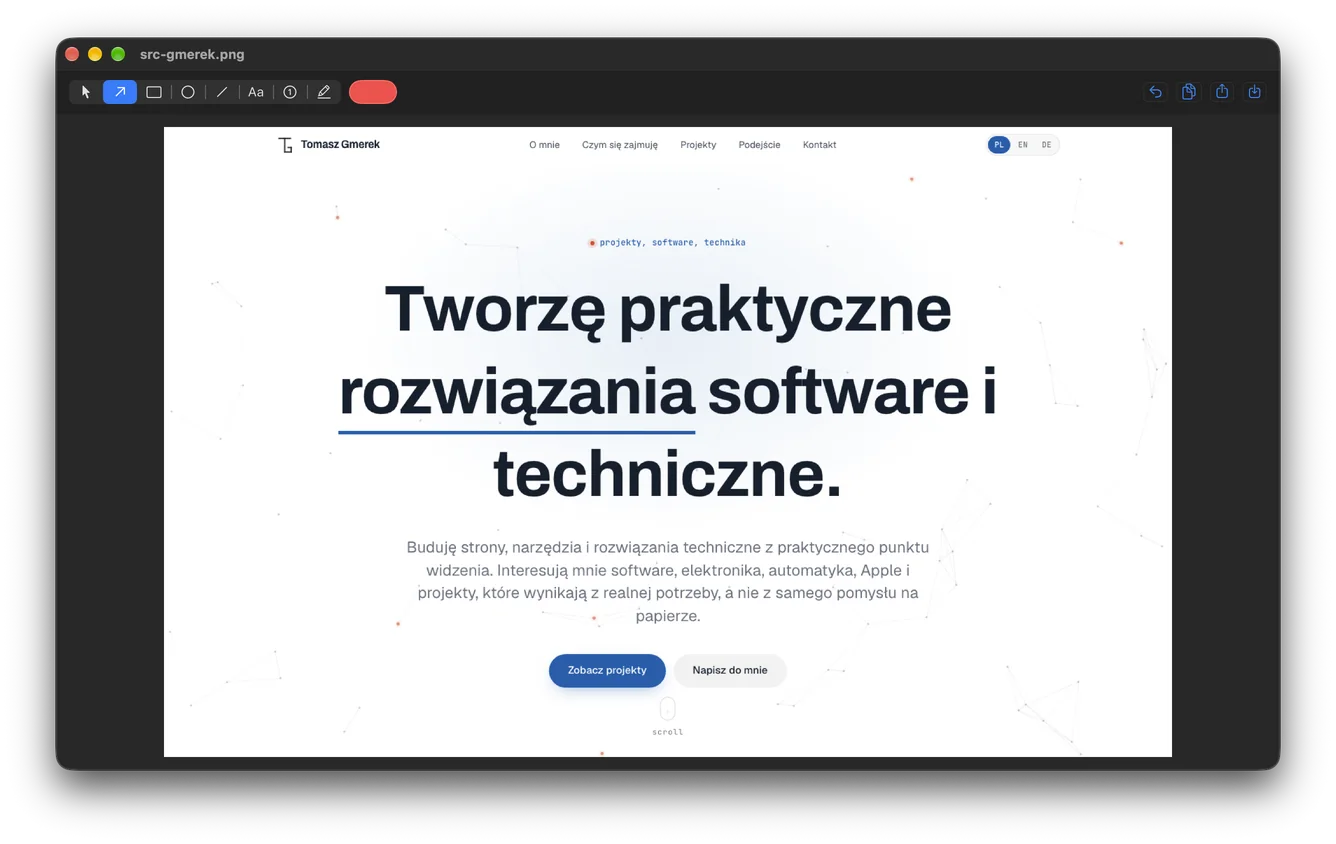
Arrow, rectangle, ellipse, line, text, numbered counter and highlighter. All vector, with ⌘Z undo.
The real app
The editor window with a screenshot open: tools at the top, colour in one click, copy and export on the right. Dark mode follows the system.
Privacy
Kadr has no account, no cloud and no analytics. Captures are saved only where you tell it.
Requirements
Tell me briefly what you take screenshots for. You'll get a test build and a say in what comes next.
macOS 14 or later · Apple Silicon and Intel · no account, no cloud
Gmerek IT
Kadr and this page were made by Gmerek IT. Even the capture preview is 233 × 144 pt - the golden ratio. I design and build Mac and iPhone apps, websites and business tools with the same care.